01
Understand the product visually
Translate abstract dimensions into references shoppers can recognise at a glance.

Visual product experiences for online stores
Vimetry helps shoppers understand a product’s size and proportions right on the product page. We’re starting with handbags and exploring what comes next.
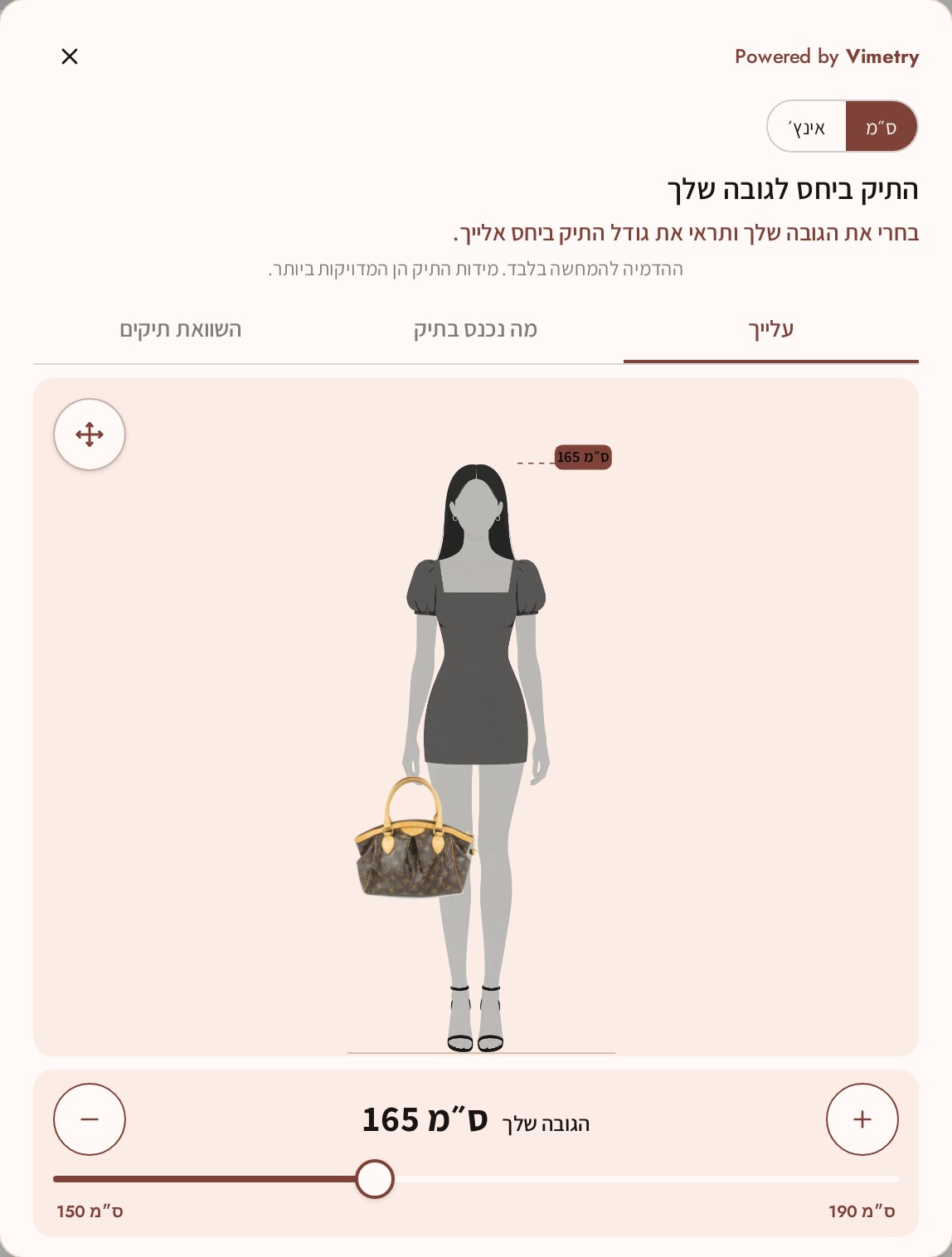
Where we're starting
The gap on a product page
A shopper sees polished images and a list of measurements, yet may still wonder how large the product feels beside them or beside something familiar.
Vimetry connects those numbers to a visual reference, so scale and proportion become easier to grasp without leaving the product page.
Why scale matters
01
Translate abstract dimensions into references shoppers can recognise at a glance.
02
Give shoppers a clearer sense of scale and proportion while they consider the product.
03
Add a focused visual experience alongside the images, description and measurements already there.
The first live category
The broader idea starts with a focused product. Handbags are where Vimetry works today, through a live implementation on DE ARCHIVE.
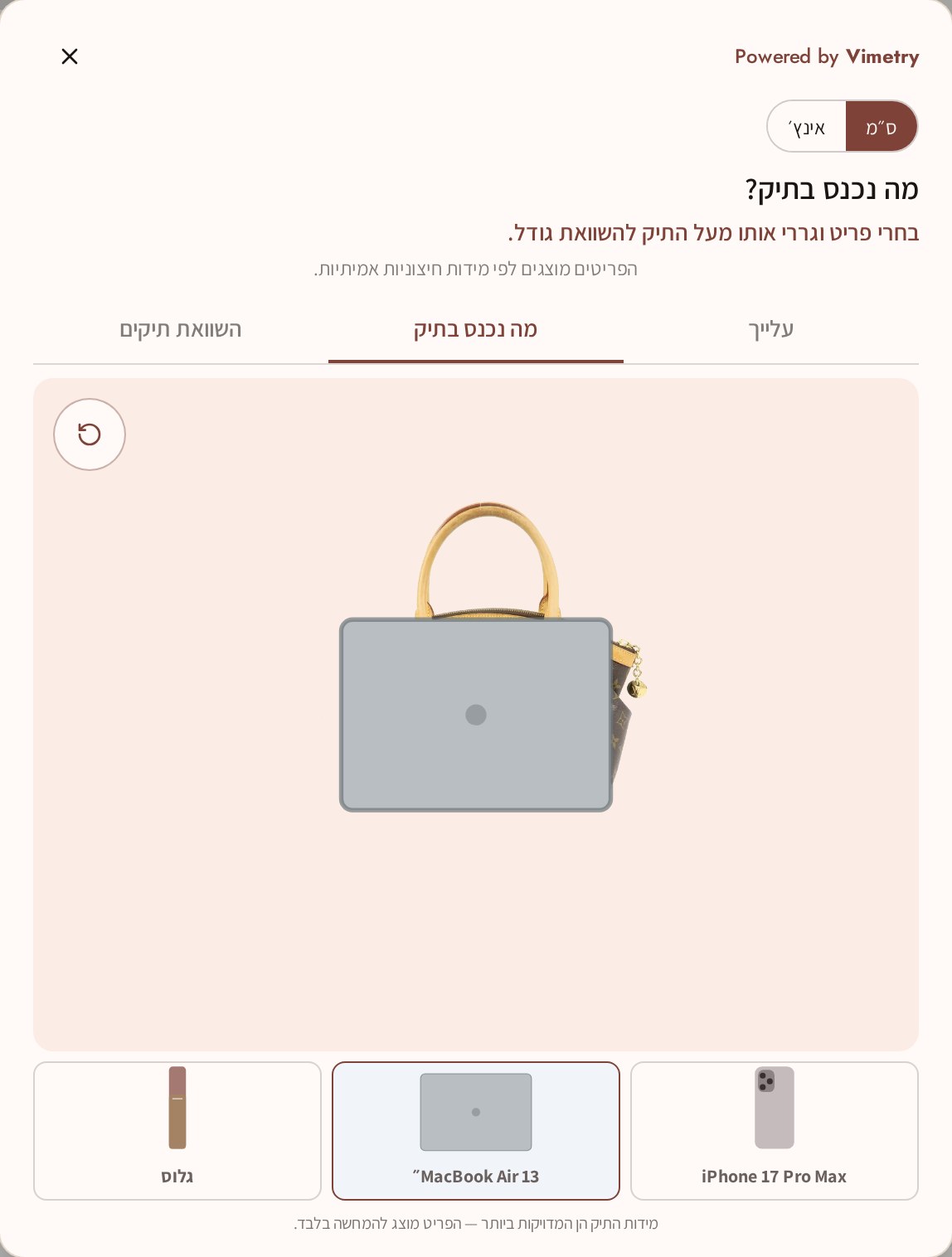
For this first category, shoppers can understand a bag through a figure at their chosen height, familiar everyday objects and a side-by-side comparison with other bags.
01
The shopper sets a height and sees the bag beside a figure at that scale.
02
An everyday object creates a reference point for the bag's outside dimensions. It is a size comparison, not a promise that the object fits inside.
03
Two bags from the same store appear side by side, making differences in proportion easier to understand.
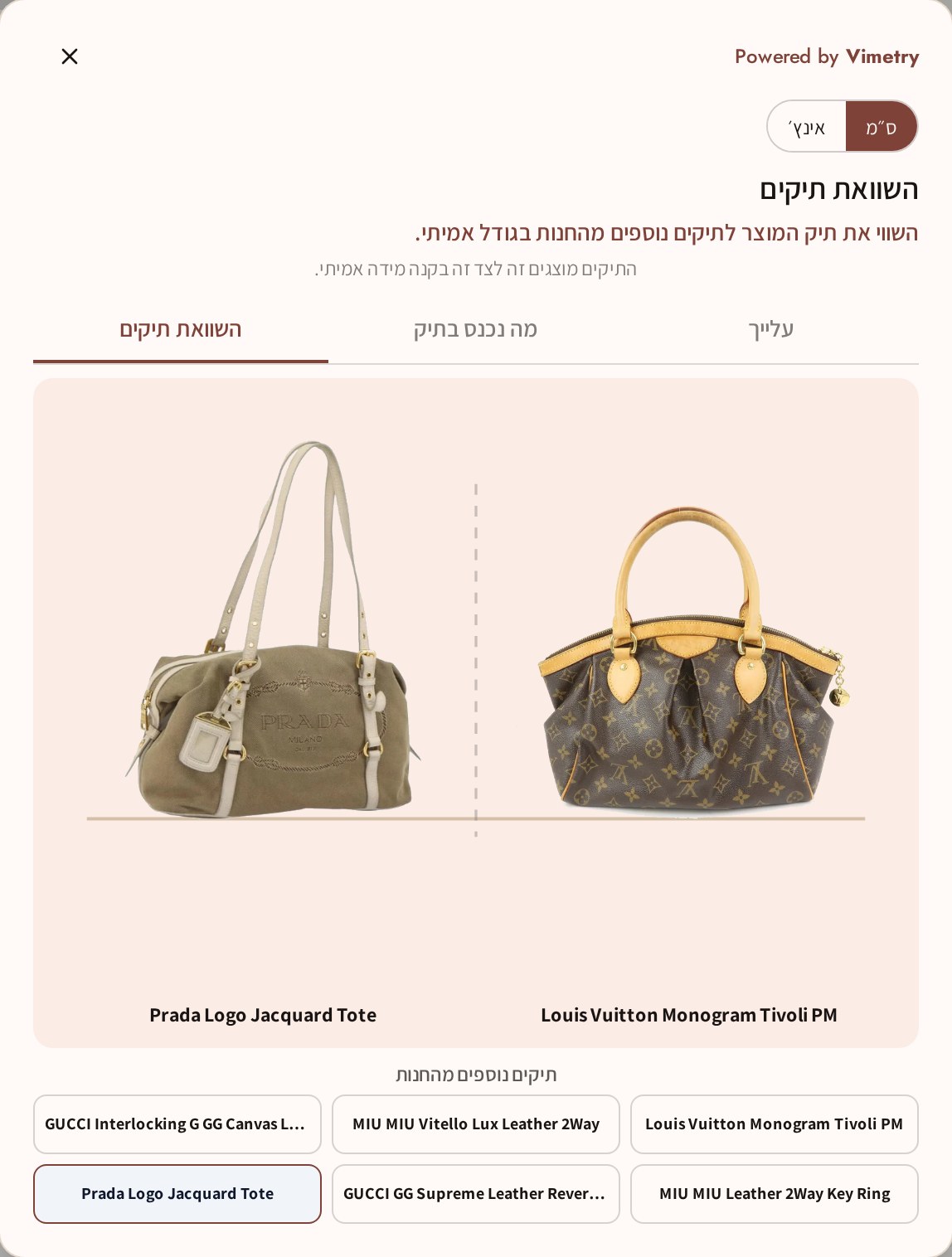
These are real screenshots from the Hebrew widget. The live widget supports Hebrew and English.
From today to what comes next
Our direction is to bring this approach to more product categories where size and proportion are difficult to understand. That is the vision — handbags are the product available today.
Contact us
Tell us about your store and the handbags you want to cover.
Store and product review
We review and approve the store, domain and relevant products.
One private script line
After approval, we provide the copyable script line for your product pages.
Approved handbags go live
The Vimetry button appears only on the approved handbag products.
Adding the script alone does not activate Vimetry. The store, domain and handbag products must be reviewed and approved first. No store admin access is required.
For handbag stores today
Tell us about your store and handbags. We'll review the fit and get back to you.
Handbag product pages. The live experience includes a height-based figure, familiar-object size comparison and bag-to-bag comparison.
Not yet. We aim to extend the visual-context approach to more categories where size and proportion matter, but handbags are the only available category today.
After we review and approve the store, domain and handbag products, we provide one private script line to add to product pages. The script alone does not activate the service.
No. Your team adds the script line; Vimetry handles the approved catalogue and activation on our side.
Yes. The handbag widget is designed for mobile product pages and supports English and Hebrew.